Magnetra1 Module Enable/Disable / Hot Swap
Module enable/disable for Magnetra input can be performed through DivingStation.
Once enabled/disabled is set, Magnetra will automatically be enabled/disabled when the Glove is started.
Hot swapping is possible, allowing for the enable/disable of modules through this process.
Procedure for Enabling Magnetra
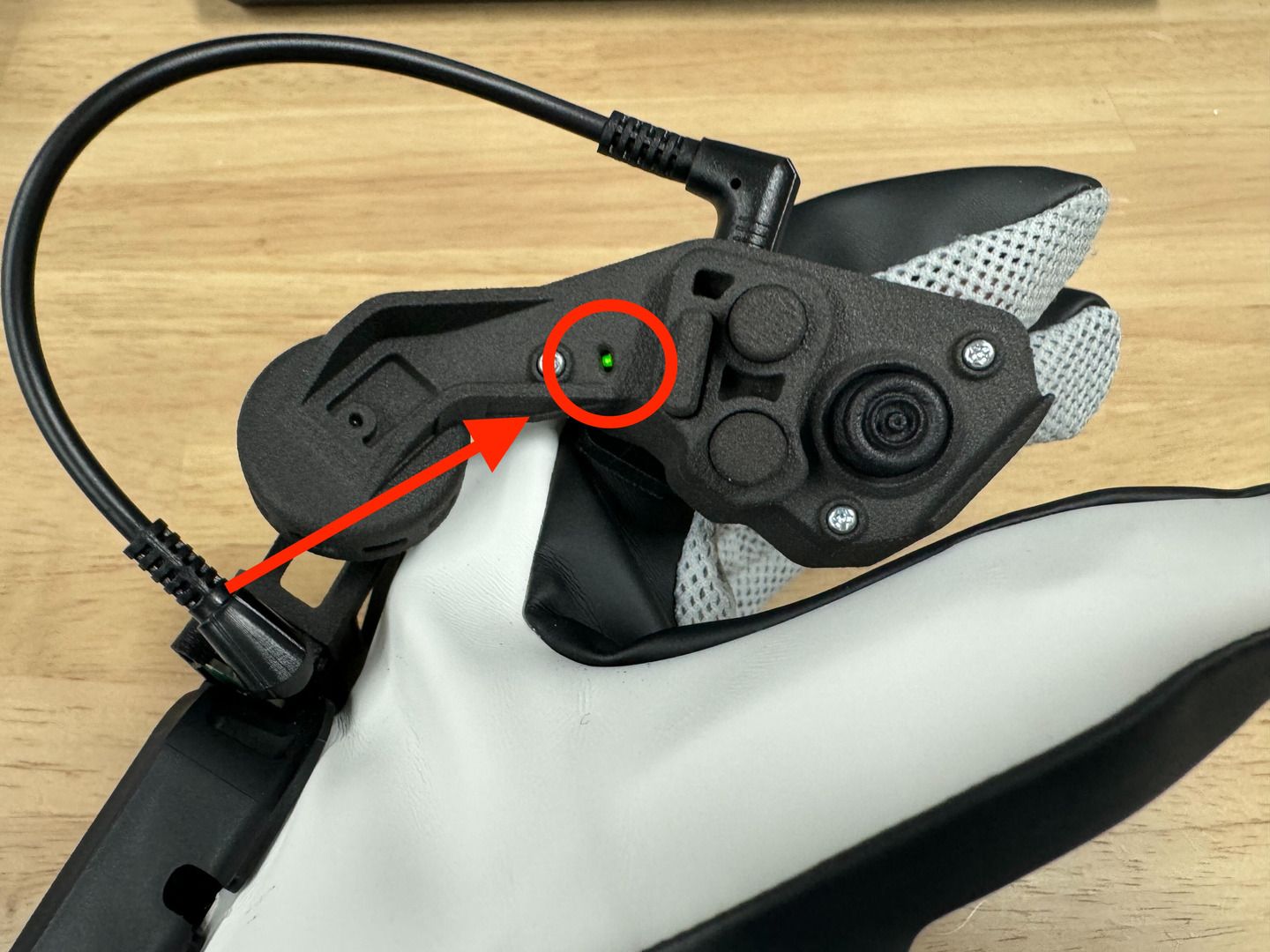
- Ensure Magnetra is connected to the ContactGlove1 main unit with the included cable.
- Connect the dongle to the PC and turn on the power of the Glove main unit.
- Open the Controller tab in DivingStation.
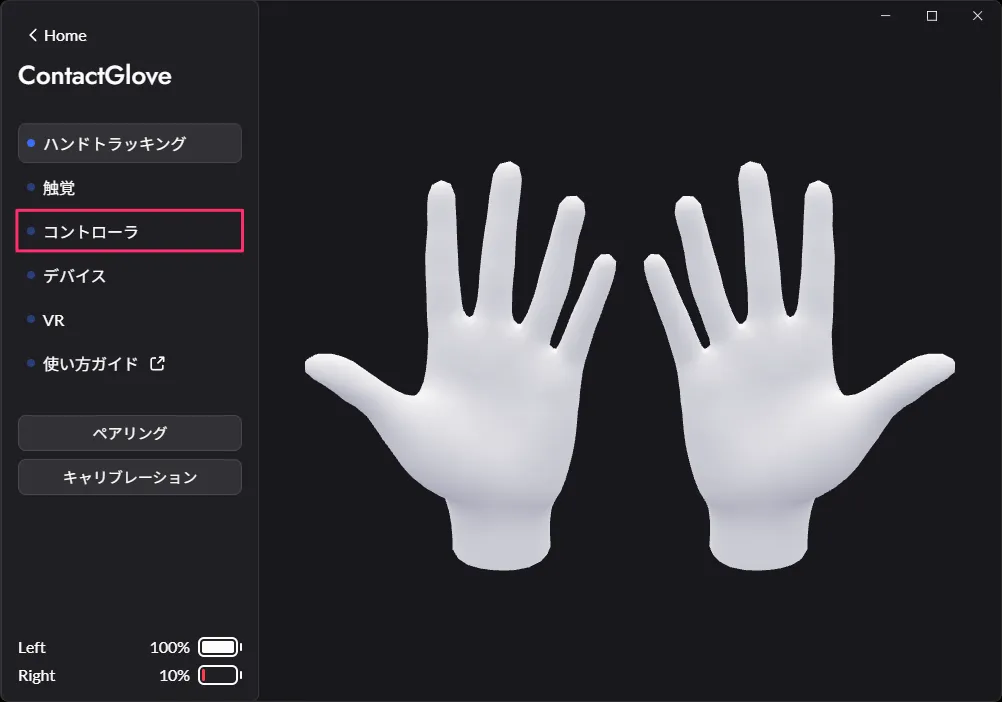
- Press the Magnetra toggle in the Controller tab to start Magnetra from DivingStation.
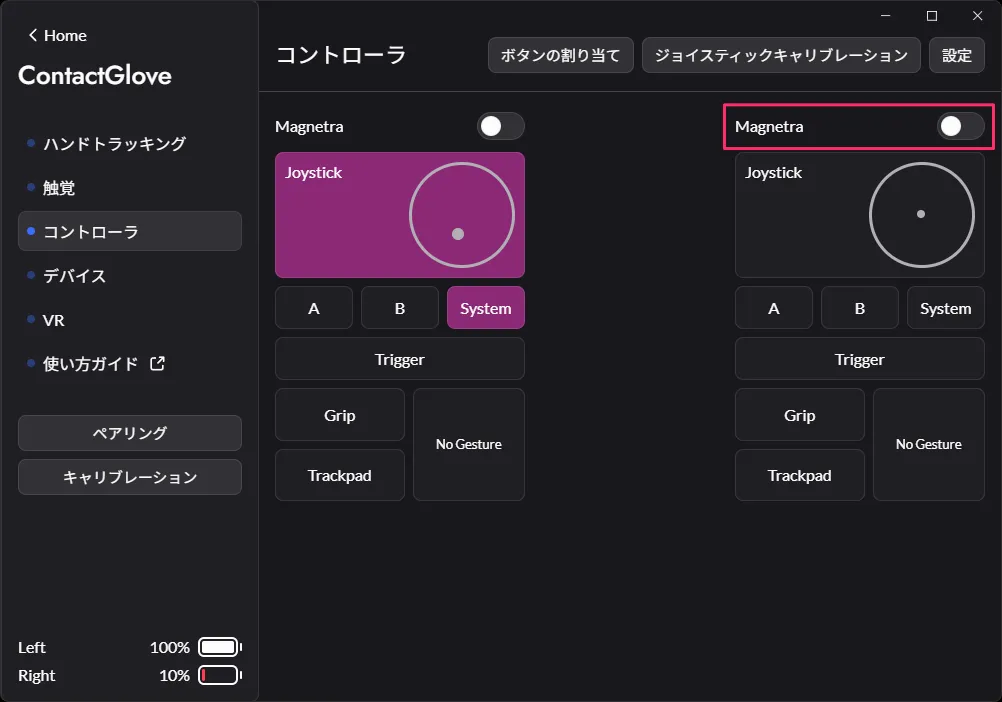
- Magnetra Toggle Enable/Disable
Enabled State Disabled State 

- If Magnetra is not connected to the main unit, the Magnetra toggle cannot be switched.
-
A sound indicating the activation of Magnetra will play from the Glove main unit, and the status lamp on Magnetra will light up in green.
-
Magnetra input will be enabled.
If you are using Magnetra for the first time, perform JoyStick Calibration. JoyStick Calibration Procedure
Procedure for Disabling Magnetra
- Open the "Controller" tab in DivingStation.
- Press the Magnetra toggle in the "Controller" tab to turn off Magnetra from DivingStation.
- A sound indicating the deactivation of Magnetra will play from the Glove main unit, and the status lamp on Magnetra will turn off.
- Magnetra input will be disabled.
Hot Swap
Magnetra supports hot swapping with the Glove main unit.
- It is possible to unplug and remove Magnetra while the Glove main unit/Magnetra is running.
- If Magnetra is enabled in DivingStation when connected, hot swapping the cable can enable/disable module input.
Behavior during Magnetra Hot Swap
- Pulling/inserting the Magnetra side terminal
- The power of the Glove main unit does not go off when unplugging/inserting.
- Pulling/inserting the Glove main unit side terminal
- The power of the Glove main unit goes off once during unplugging/inserting and automatically restarts.