Quick Guide (Usage Scenarios)
For Motion Capture (Hand Tracking Only)
- If you are only using the hand tracking feature, purchasing additional modules is generally not required.
Integration with mocopi
- Please refer to the following campaign page and our documentation for usage instructions.
Using Button & Joystick (VR Controller) Input
- If you intend to use it as a VR controller, including button and joystick input, you need to purchase an additional module.
- You can use either of the following options. Please purchase the module separately:
Button Module + Joystick Module- Integrated module: Magnetra
- For using it as a VR controller, please also refer to the following sections:
Using with the LightHouse Tracking System
- You need the following two LightHouse-compatible devices to track the position of the ContactGlove1 unit.
- If you do not have these devices, please purchase them separately.
- SteamVR Base Station 2.0 (or 1.0)
- Compatible Trackers x2 (Tundra Tracker, VIVE Tracker (3.0), VIVE Tracker 2018, etc.)
- For setup instructions, please refer to this guide.
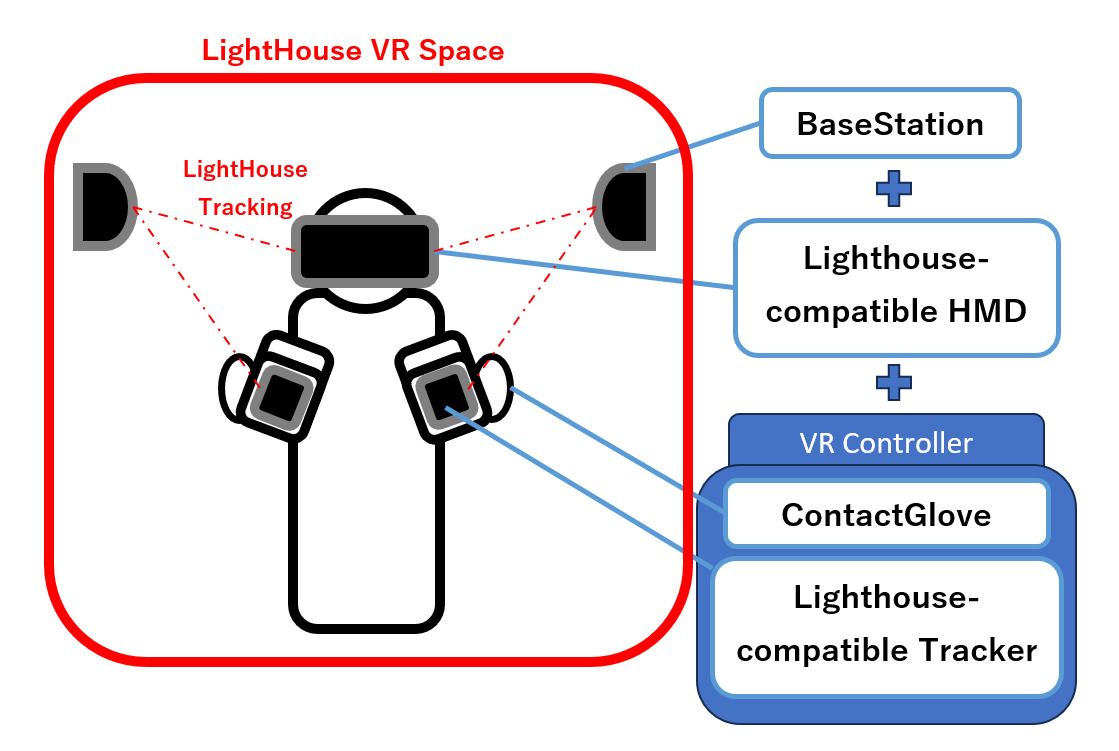
- The adapter for mounting compatible trackers to the main unit is included with ContactGlove1 rev.2.
- The two devices mentioned above are third-party products. Please refer to the product pages of each device and compatible HMDs before use.
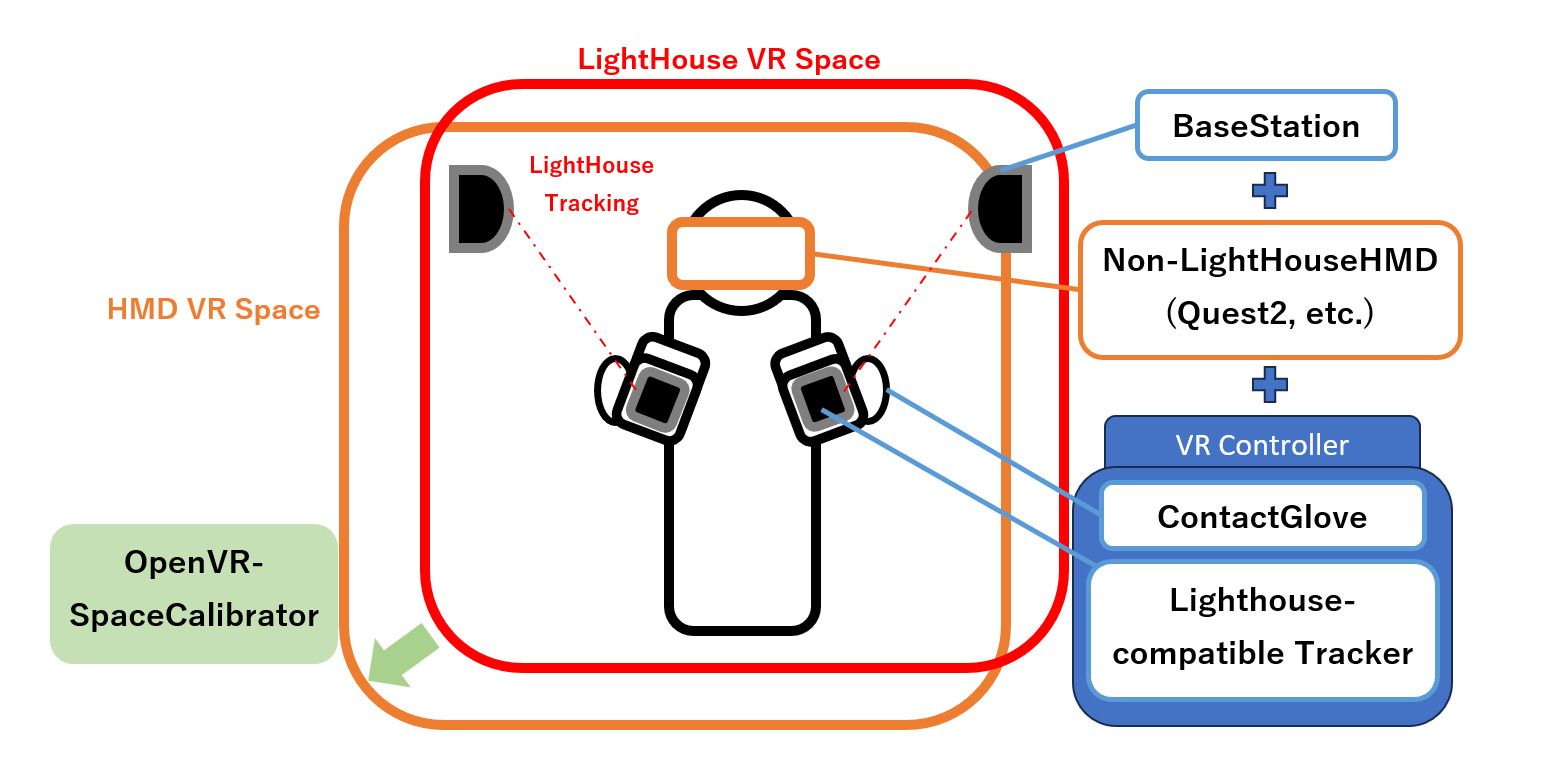
Using with a Non-LightHouse-Compatible HMD (e.g., Quest 2)
- Install OpenVR-SpaceCalibrator (External Link) in SteamVR to align the LightHouse tracking system space with the HMD space.
Using with Other LightHouse-Compatible Controllers
To switch to another LightHouse-compatible controller, turn off ContactGlove1 and turn on the controller you want to use.
If the other controller is not recognized correctly, try also turning off the trackers assigned to ContactGlove1.