ContactGlove Unreal Engine 5 SDK V1
ContactGloveSDK features
The SDK supports:
- Retrieving finger joint flexion (float values from 0.0 to 1.0) and abduction
- Retrieving controller input
- Controlling vibration and haptic modules (haptic modules are available only on equipped gloves)
- Visualizing hand poses on an avatar
The SDK does not record hand poses.
Unreal Engine requirements
UE 5.7
Setting up DivingStation and SteamVR
ContactGloveSDK requires DivingStation and SteamVR. Complete their setup using the guide for your product:
- ContactGlove1: DivingStation / SteamVR
- ContactGlove2: DivingStation / SteamVR
Downloading the Unreal Engine ContactGloveSDK
Download the Unreal Engine ContactGloveSDK plugin from the official website.
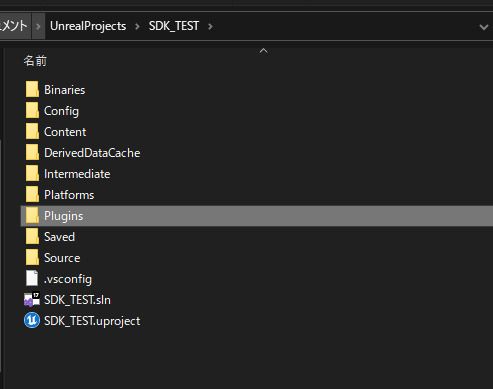
Extract the download and copy ContactGlovePlugin from ContactGloveSDK_UE/UE_5.7 into the Plugins folder directly under your project folder, as shown below. Create the Plugins folder if it does not exist.
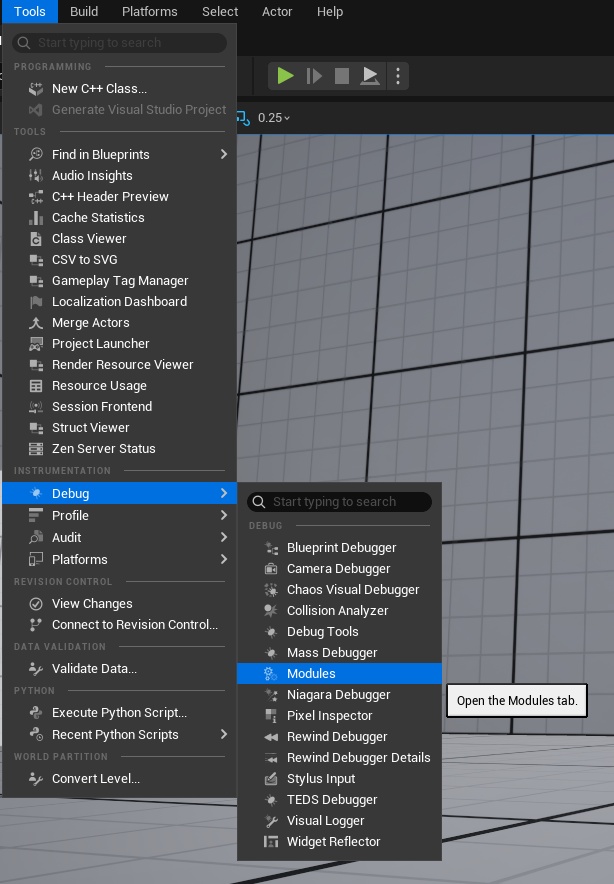
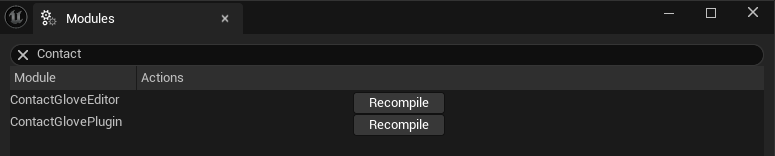
Restart the Unreal Engine project after installing the plugin. In the editor, open Tools > Debug > Modules and confirm that ContactGlovePlugin is listed. Recompile if necessary.