ContactGlove Unity SDK V1
Features of ContactGloveSDK
The ContactGloveSDK includes the following features:
- Retrieving the bending values of each finger joint (0~1 float value)
- Retrieving controller input information
- Controlling the vibration module
- Controlling the haptic module (only for gloves with a haptic module)
However, the ContactGloveSDK does not include the following features:
- Visualizing hand pose information on an avatar's hand
(Visualization is expected to be done using SteamVR SDK's Skeleton Input feature) - Recording hand pose information
Setting Up DivingStation and SteamVR
Since ContactGloveSDK operates using DivingStation and SteamVR,
you must first complete the SteamVR and DivingStation setup.
Refer to the following guides to complete the setup:
- ContactGlove1: DivingStation / SteamVR
- ContactGlove2: DivingStation / SteamVR
Downloading ContactGloveSDK for Unity
Download the Unitypackage for ContactGloveSDK from the official website.
After downloading, import the Unitypackage into your Unity project.
Operation has been verified on Unity version 2021.3.9f1 or later.
Importing the SteamVR Plugin (Optional)
If you plan to use visualization or positional tracking features with Skeletal Input,
please add the SteamVR Plugin to your assets from the
Unity Asset Store.
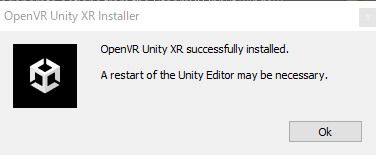
After importing, if the following popup appears, restart Unity.
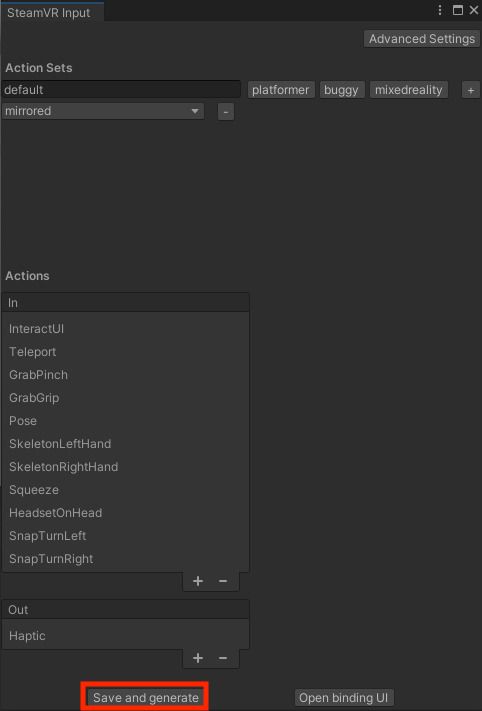
Go to Window > SteamVR Input, then press Save and Generate.
With this, the SteamVR Plugin and ContactGloveSDK setup is complete! 🎉